Proton VPN for Windows
A fully open-source VPN client for Windows built for privacy. Easy to install, one click to connect, and loaded with security tools to protect every connection.
Not sure if your system is x64 or ARM64? Check our FAQ.

A fully open-source VPN client for Windows built for privacy. Easy to install, one click to connect, and loaded with security tools to protect every connection.
Not sure if your system is x64 or ARM64? Check our FAQ.
Proton VPN offers a special ARM version of our app for the Microsoft Surface Laptop, Surface Pro, Samsung Galaxy Book S, Lenovo Flex 5G, HP Elite Folio, Acer Spin 7, and other ARM Windows devices.
Download ARM versionStart with a free Proton VPN account or choose a paid VPN Plus plan. Paid plans let you connect up to 10 devices simultaneously and reach over 20,000 high-speed servers across more than 140 countries.
Compare plansDownload the Windows installer for your device and run it. Once installation is complete, open the app and sign in with your Proton VPN credentials.
Download FreeLet the app automatically select the fastest server for your location, or manually choose any server available on your plan. All traffic between your device and the server travels through an encrypted tunnel.
For step-by-step installation instructions, read our Proton VPN for Windows guide.
Our Windows app offers advanced features carefully designed to improve your online security.
Secure Core adds a second layer of encryption by bouncing your traffic through a privacy-friendly country before reaching its destination. Entry servers sit in hardened data centers in Switzerland, Iceland, and Sweden.
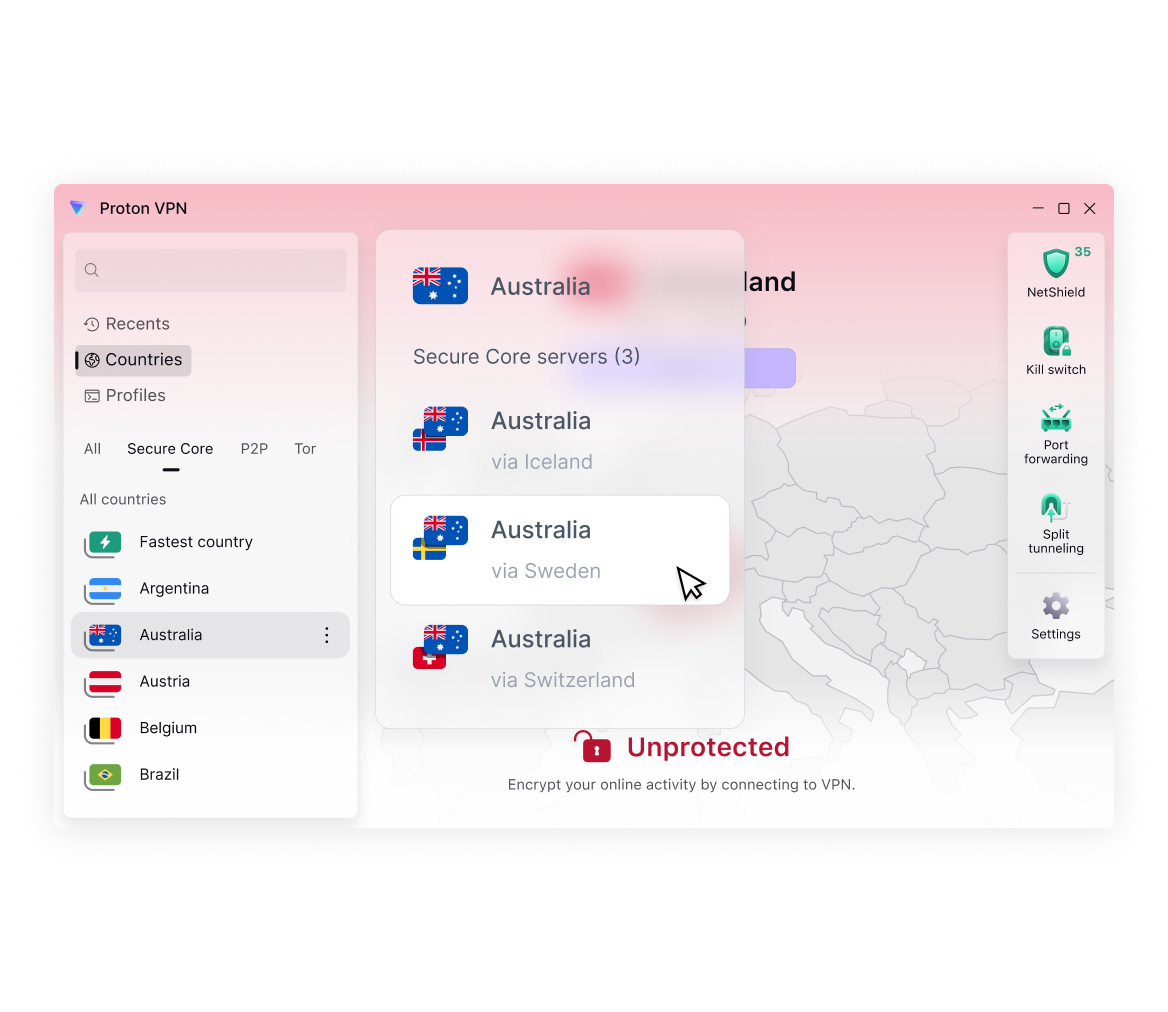
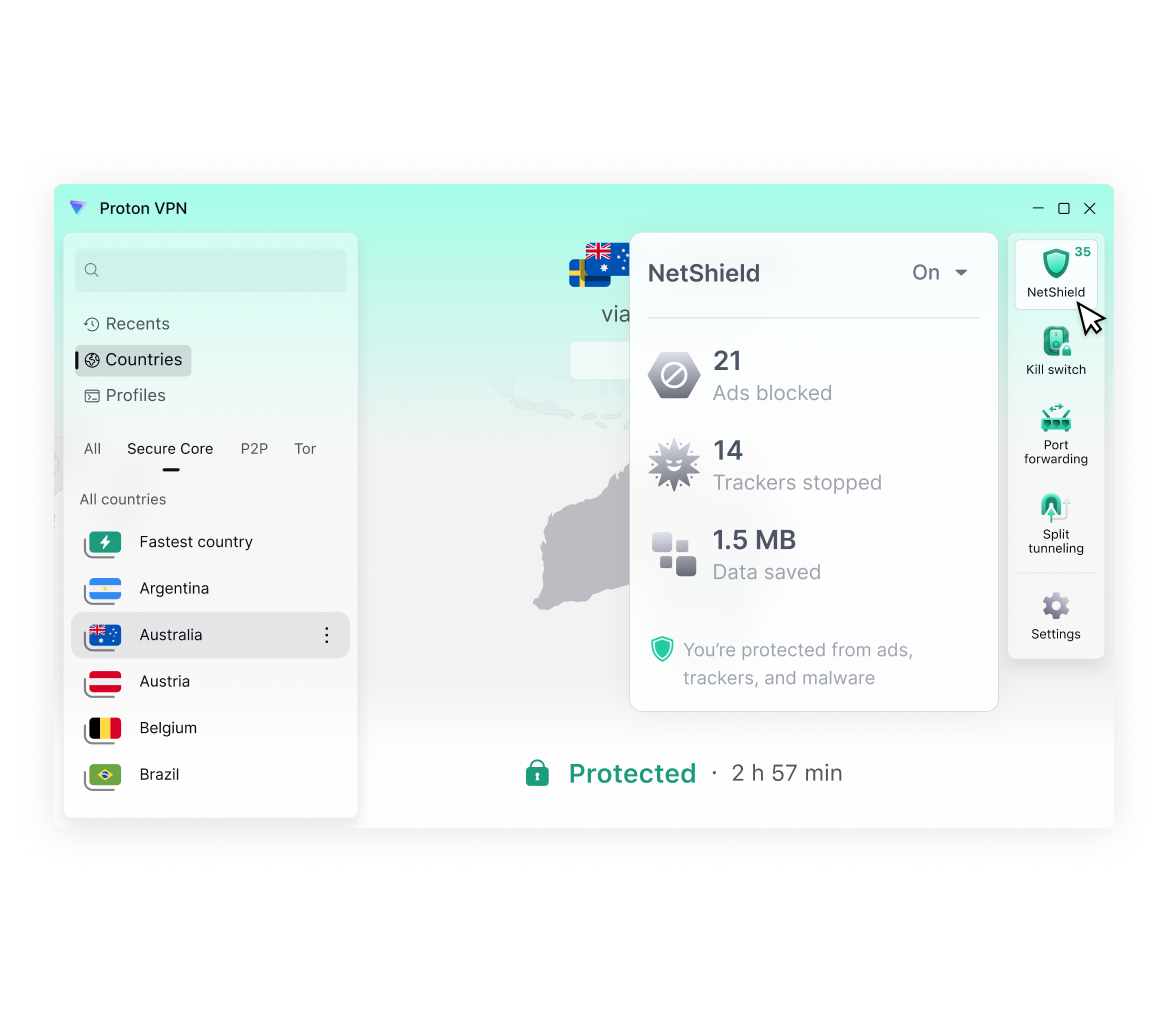
NetShield blocks requests to domains associated with malware, trackers, and advertising networks before they ever reach your device, keeping pages faster and cleaner while reducing exposure to threats.
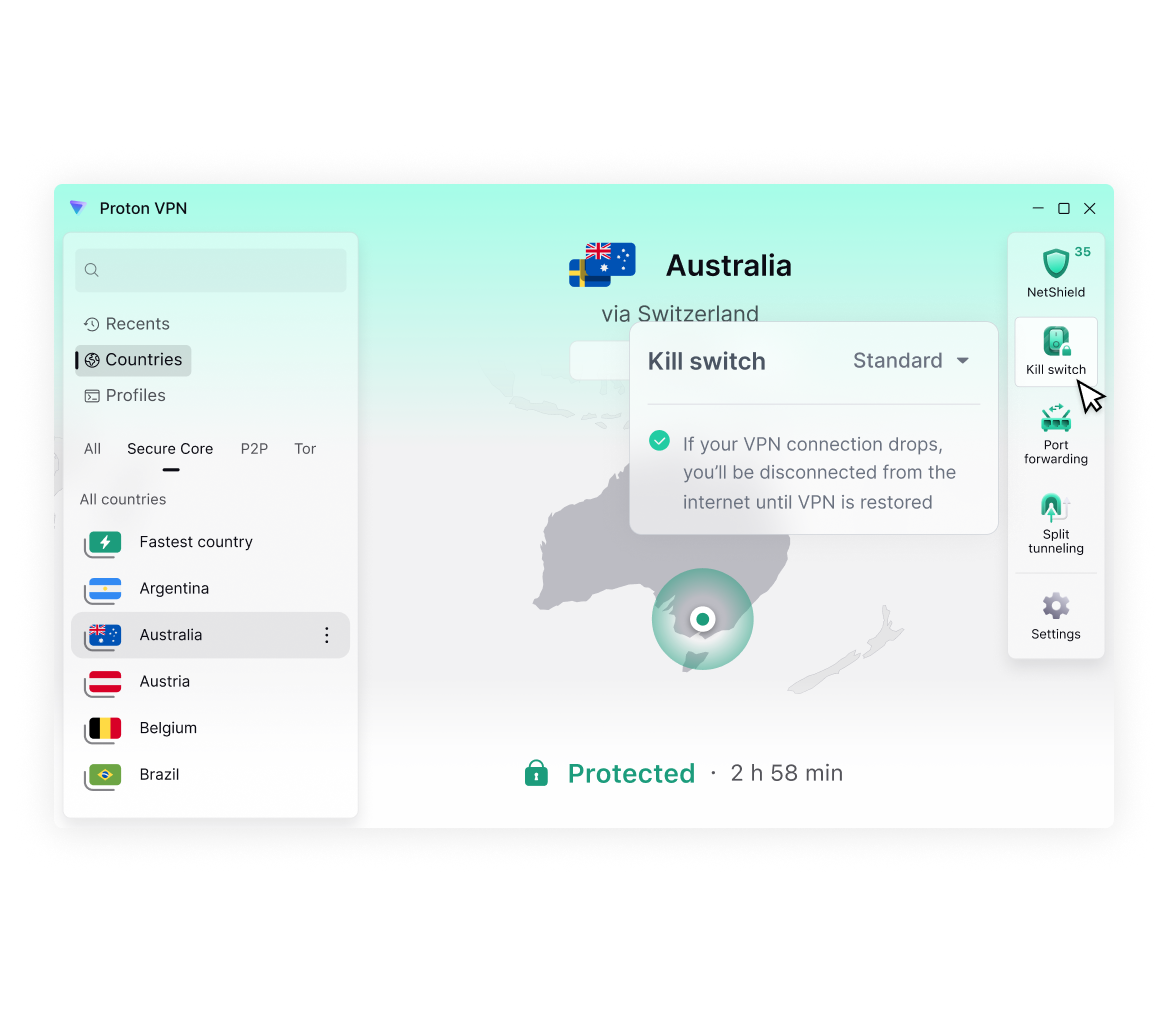
The kill switch cuts your internet access the moment your VPN tunnel drops, so your real IP address is never exposed during a reconnect. It restores access automatically once the VPN is back online.
No connection timestamps, no IP addresses, no session data – nothing that could link your identity to your activity
All DNS queries run through our encrypted servers, so your real IP address never slips out even if the tunnel hiccups
When standard VPN ports are blocked, the app automatically tries other network paths to reach our servers
Choose which apps or domains route through the VPN and which connect directly – full control over your traffic
Our proprietary speed-optimization technology reduces latency and raises throughput on long-distance connections by up to 400%
Dedicated P2P servers handle BitTorrent and other file-sharing traffic without throttling or restrictions
Swiss law offers strong privacy protections and keeps Proton outside both the EU and US surveillance frameworks
Connect to servers optimized for streaming and unlock your favorite shows from anywhere in the world

Proton VPN was created by scientists who met at CERN and later built Proton Mail, the world’s most widely used encrypted email service. Journalists, activists, and privacy-conscious users in over 110 countries trust Proton VPN every day.
Our Windows VPN app:


Proton VPN rises above the competition with an excellent collection of features, a high-performance server network, and a nearly peerless free subscription option.

Our top-scoring Best Buy VPN

Our top pick is Proton VPN thanks to its easy-to-use interface, no-logs policy and open-source framework.

Amazing VPN: privacy focused, lots of servers to choose, and some extra safeguards such as ad tracking prevention. The best out there 👌

Excellent VPN, clean and easy interface. Connections are always stable. Must have if you want to keep your online surfing private.

Proton VPN rises above the competition with an excellent collection of features, a high-performance server network, and a nearly peerless free subscription option.

When choosing a Windows VPN, prioritize services that offer strong encryption, a strict no-logs policy, and open-source code. Proton VPN meets all these criteria and offers a free plan with no credit card required.
Sign up for a Proton VPN account, download our Windows app, and double click the downloaded file to start installation. A wizard will guide you through the rest of the process.
If you sign in to the app and click “Quick Connect”, Proton VPN will automatically connect you to the fastest server depending on your location.
Connect to a VPN server in an area where that content is not censored. If you have a VPN Plus or Proton Unlimited account, you can also access popular streaming platforms.
Proton VPN offers high-speed servers (up to 10 Gbps) across all paid plans, with our unique VPN Accelerator technology improving speeds by over 400% over large distances.
You can check in Windows Settings: Settings → System → About, and look at the System type field to confirm your device architecture.
Free download, no credit card required, no speed limits.